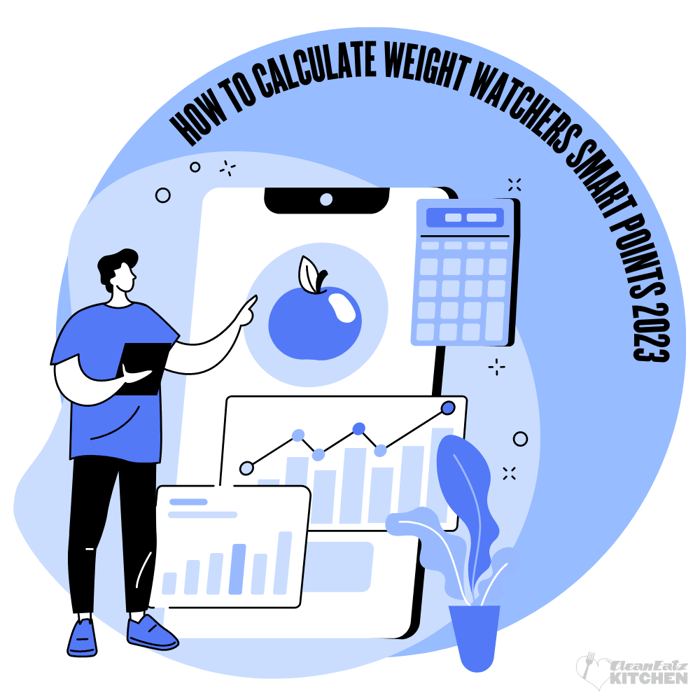
Quick Answer: WeightWatchers uses its current Points® system to turn nutrition information into one simple tracking number. Points are not the same as calories, but they do take calories and nutrition quality into account. According to WW, fiber, protein, and unsaturated fat can lower a food’s Points value, while saturated fat and added sugars can raise it. The most accurate way to calculate Points is to use the official WW app, barcode scanner, recipe builder, or Food Scanner, especially because serving size, brand, cooking method, and added ingredients can change the final number. WW also offers 350+ ZeroPoint® foods that do not need to be tracked in the regular Points Program, although the list may differ for members using the Diabetes or Menopause programs.
Table of Contents
- How the WeightWatchers Points System Works
- How to Calculate WeightWatchers Points
- Understanding Your Daily and Weekly Points Budget
- ZeroPoint Foods: What Counts and What to Watch
- Meal Planning Strategies with Points
- 7 Common Points Calculation Mistakes and How to Avoid Them
- Real-Life Points Examples: What a Day Could Look Like
- Bottom Line: Making Points Work for You
- Frequently Asked Questions
- References
Last reviewed & updated: April 29, 2026
How the Weight Watchers Points System Works
One of the most common misunderstandings about WeightWatchers is thinking that Points are just another version of calorie counting. That confusion makes sense: calories are part of the calculation, but Points are designed to give you more context than calories alone.
The idea behind the Points system is to translate detailed nutrition information into one simple number that is easier to use in daily food decisions. Instead of asking you to track every calorie, gram of fat, carbohydrate, or macronutrient separately, Points give you a practical way to compare foods based on their overall nutrition profile.
That is why two foods with similar calories can have very different Points values. A snack made mostly from refined flour, added sugar, and saturated fat may not support fullness and diet quality in the same way as a meal built with lean protein, vegetables, whole-food carbohydrates, and healthy fats. Points help highlight that difference in a simple way.
What Affects a Food’s Points Value?
WeightWatchers does not publish the exact mathematical formula behind its Points system. However, WW explains that several nutrition factors influence a food’s Points value, including calories, protein, fiber, unsaturated fat, saturated fat, and added sugars.
In general, the system encourages foods that provide nutrients linked with fullness and overall diet quality, while assigning higher Points values to nutrients most people are advised to limit.
Factors that tend to increase Points include:
Calories: Calories are part of the equation, but Points are not the same as calories. Two foods can have similar calories and different Points values depending on their protein, fiber, fat, and added sugar content.
Saturated fat: Foods higher in saturated fat generally have higher Points values. This is consistent with dietary guidance that recommends limiting saturated fat as part of a heart-conscious eating pattern.
Added sugars: Added sugars can also raise Points. These are sugars added during processing or preparation, not the naturally occurring sugars found in foods like fruit or plain dairy.
Factors that may lower Points include:
Protein: Protein can lower a food’s Points value because it supports fullness, helps maintain lean body mass, and is an important part of balanced meals.
Fiber: Fiber can lower Points because fiber-rich foods tend to support satiety, digestive health, and better overall diet quality.
Unsaturated fat: Unsaturated fats can lower Points because WW distinguishes between different types of fat. Foods such as olive oil, avocado, nuts, seeds, and fatty fish contain unsaturated fats that can fit into a healthy eating pattern.
Why Points Go Beyond Calories
This is where the Points system becomes more useful than looking at calories alone. A 200-calorie candy bar and a 200-calorie meal made with lean protein, vegetables, and healthy fats may provide very different levels of fullness, nutrition, and satisfaction.
Points are meant to reflect some of those differences. Foods higher in protein, fiber, or unsaturated fats may have lower Points values, while foods higher in added sugars or saturated fats usually have higher Points values.
This does not mean higher-Point foods are “bad” or off-limits. It simply means the number gives you information. You can still include desserts, restaurant meals, snacks, convenience foods, and favorite foods. The goal is not to eat perfectly; it is to understand how different choices fit into your daily and weekly Points Budget.
Points Are a Tool, Not a Food Rule
The key is not to think of Points as a perfect nutrition score. A lower-Point food is not automatically “good,” and a higher-Point food is not automatically “bad.” Points are a decision-making tool.
They can help you plan meals, compare options at the grocery store, adjust portions, and make more intentional choices when eating out. They can also make food tracking less overwhelming because the app does the math for you.
Whether you are new to WW or returning after time away, the goal is to use Points in a realistic way: to support portion awareness, meal planning, and more consistent habits without turning food into a rigid set of rules.
Food Points vs. Your Personal Points Budget
Here is where it is important to separate two things: a food’s Points value and your personal Points Budget.
A food’s Points value is based on its nutrition profile. That means calories, protein, fiber, unsaturated fat, saturated fat, and added sugars can all influence the final number. Your personal Points Budget, on the other hand, is calculated based on your body, goals, and program settings. WW explains that your personal Budget is designed for what your body needs, which is why it is best to rely on the official WW app rather than unofficial calculators.
This is also why third-party Points calculators can be inaccurate. They may provide an estimate, but they may not reflect the current WW algorithm, the latest food database, your serving size, your program type, or any updates WW has made to the Points system.
For the most accurate tracking, use the official WW app, barcode scanner, recipe builder, or Food Scanner whenever possible.
How to Calculate WeightWatchers Points
Because WW does not publish its exact Points formula, you do not need to calculate Points manually. The most accurate approach is to use the official WW app and enter the most precise information available.
Use the WW App Calculator for Packaged Foods
For packaged foods with a Nutrition Facts label, the WW app can calculate Points using the nutrition information you enter. This may include serving size, calories, saturated fat, added sugars, fiber, protein, and other values requested by the app.
Serving size is especially important. If a label lists nutrition information for one serving but you eat two servings, you need to track two servings. When possible, measure or weigh foods that are easy to underestimate, such as nuts, oils, cheese, granola, crackers, pasta, rice, and snack foods.
Use the Barcode Scanner When Available
For packaged foods, the barcode scanner is usually the fastest option. Scan the item, review the food entry, and adjust the serving size before tracking.
Still, it is worth double-checking the product, flavor, serving size, and label details. Package sizes, formulas, and nutrition labels can change, and similar products from the same brand may have different Points values.
Pay Attention to Added Sugars
When entering label information, pay attention to the difference between total sugars and added sugars.
Total sugars include both naturally occurring sugars and added sugars. Added sugars are sugars added during processing or preparation, such as sugar, syrup, honey, agave, molasses, or fruit juice concentrate. In the U.S., Nutrition Facts labels list added sugars separately, which can help you enter more accurate information.
If a label does not list added sugars separately, follow the app prompts as closely as possible and use the most accurate information available.
Use Recipe Tools for Homemade Meals
For homemade recipes, use the WW app’s recipe tools instead of guessing. Enter each ingredient, the amount used, and the number of servings the recipe makes. The app can then calculate the Points value per serving.
Be sure to include ingredients that are easy to forget, such as olive oil, butter, cheese, nuts, seeds, sweeteners, dressings, sauces, toppings, and cooking fats.
Use the Food Scanner or Database for Meals Without Labels
For meals without a label, such as restaurant meals, cafeteria meals, or food prepared by someone else, use the WW database, Food Scanner, or a similar restaurant entry as an estimate.
The key word is estimate. Restaurant meals can vary widely depending on cooking oil, sauces, dressings, cheese, breading, portion size, and added sugar. When possible, choose the entry that most closely matches the food, portion, and preparation method.
Remember That Preparation Matters
A food’s Points value can change depending on how it is prepared. A plain baked potato may be ZeroPoint in the standard WW program, but butter, oil, sour cream, cheese, bacon, or creamy toppings add Points.
The same applies to protein foods. Skinless grilled chicken, roasted chicken with skin, breaded chicken, and fried chicken can all have different Points values because the preparation method changes the nutrition profile.
Understanding Your Daily and Weekly Points Budget
Your Points Budget is the number of Points you have available to use each day and each week. According to WW, your daily Points Budget is personalized to your body and goals, and the program is designed to give you flexibility while still helping you make more intentional food choices.
How Your Budget Is Calculated
When you join WeightWatchers or update your profile, the app uses personal details to help determine your Budget. WW states that your Budget is personalized based on factors such as your body, goals, height, age, weight, and sex.
Your Budget may also change over time as your weight, goals, or program settings change. That is one reason it is important to keep your profile updated in the WW app instead of relying on old Points charts, screenshots, or third-party calculators.
Avoid assuming that everyone gets the same number of Points. Two people eating the same food may track the same food value, but their daily and weekly Budgets can be different depending on their individual profile and program.
Daily Points vs. Weekly Points: What's the Difference?
In most WW settings, members use both Daily Points and Weekly Points, although available features may vary depending on your program, Mode, and app settings.
Daily Points are the Points you use for your regular meals, snacks, drinks, and extras each day. They reset daily and are meant to guide your everyday food choices.
Weekly Points, sometimes called “weeklies,” are an extra cushion you can use throughout the week. They can help with restaurant meals, social events, larger portions, desserts, or days when you are simply hungrier than usual. WW explains that Weekly Points are designed to add flexibility, not to make the program feel like an all-or-nothing diet.
WW also offers rollovers. If you do not use all of your Daily Points, up to 4 unused Points can roll into your Weekly Budget, depending on your app settings. WW notes that this feature is usually automatic but can be turned off in the app.
Depending on your program, Mode, and app settings, activity may also affect your Weekly Budget. In some settings, WW explains that tracking workouts can add Points to your weekly Budget.
Should You Always Use All Your Points?
You do not need to treat your Points Budget like a test you have to complete perfectly every day. Think of it as a guide.
If you are hungry, your Budget gives you structure for choosing foods that fit your goals. If you are satisfied before using every Point, you usually do not need to force yourself to eat more just to reach a number.
That said, consistently eating far below your Budget may not be ideal either. Going too low can leave you overly hungry, reduce diet quality, or make the plan harder to sustain. A better approach is to use Points to build meals that feel satisfying, include enough protein and fiber, and leave room for foods you enjoy.
The most sustainable way to use WW is usually not perfection. It is consistency: tracking honestly, using Weekly Points without guilt when needed, and returning to your normal routine after higher-Point days.
ZeroPoint Foods: What Counts and What to Watch
This is one of the areas where new WW members often get confused, so let’s clear it up: ZeroPoint® foods are not calorie-free. They still contain calories, carbohydrates, protein, fat, or a combination of nutrients. What makes them different is that WW assigns them a Points value of 0 in the standard Points Program.
According to WW, ZeroPoint foods were selected because they are nutrient-dense foods that can serve as the foundation of a healthier eating pattern. In the regular Points Program, they do not need to be weighed, measured, or tracked. However, that does not mean portions no longer matter. ZeroPoint foods are meant to make healthy eating easier, not to encourage eating past fullness.
The Current ZeroPoint Foods List
WeightWatchers expanded its ZeroPoint foods list in late 2024 by adding more than 150 foods, bringing the list to 350+ ZeroPoint foods in the standard program. The current list includes several major categories:
Beans, peas, and lentils:
Black beans, chickpeas, lentils, kidney beans, pinto beans, split peas, soybeans, edamame, and other plain beans and legumes.
Chicken and turkey:
Skinless chicken breast, skinless chicken thighs, skinless turkey breast, lean ground chicken or turkey, and other plain poultry options.
Corn and popcorn:
Fresh corn, canned corn, corn on the cob, hominy, and air-popped popcorn without oil, butter, or sugar.
Eggs:
Whole eggs, egg whites, egg yolks, hard-boiled eggs, and scrambled eggs made without added fat.
Fish and shellfish:
Most plain fish and seafood, including salmon, tuna, cod, shrimp, crab, scallops, trout, sardines, and other options.
Fruits and non-starchy vegetables:
Most fresh, frozen, or canned fruits and non-starchy vegetables, as long as they are prepared without added sugar, oil, creamy sauces, or other higher-Point ingredients.
Lean meats:
Certain lean cuts of beef, pork, bison, lamb, venison, and other meats, such as lean trimmed steak, pork tenderloin, and 90% lean or leaner ground beef.
Oats:
Plain oatmeal, quick-cooking oats, rolled oats, old-fashioned oats, and steel-cut oats.
Starchy vegetables:
Plain potatoes, sweet potatoes, yams, parsnips, plantains, taro, cassava, and similar starchy vegetables when prepared without oil, butter, or high-Point toppings.
Tofu and tempeh:
Plain tofu, smoked tofu, silken tofu, soft tofu, firm tofu, and tempeh.
Yogurt and cottage cheese:
Plain nonfat yogurt, plain nonfat Greek yogurt, plain nonfat cottage cheese, plain soy yogurt, and some other plain low-fat or nonfat options.
One important note: the ZeroPoint list can differ depending on the WW program you are using. WW states that members living with diabetes have a different ZeroPoint foods list, and some foods that are ZeroPoint in the standard program may not be ZeroPoint in the Diabetes Program. Always check your own WW app for the list that applies to your plan.
Preparation Still Matters
ZeroPoint foods only stay at 0 Points when they are prepared in a way that keeps them close to their original nutrition profile. WW specifically notes that once you add ingredients with Points value, such as oil, butter, dressings, sauces, sugar, cheese, or breading, those additions need to be tracked.
For example, a plain baked potato may be ZeroPoint in the standard program. But if you add butter, sour cream, cheese, bacon, or oil, those ingredients add Points. The same idea applies to chicken. Skinless grilled chicken thigh may be ZeroPoint, but breaded fried chicken is not the same food nutritionally and should be tracked differently.
Can You Overeat ZeroPoint Foods?
Technically, yes. ZeroPoint does not mean unlimited calories. WW does not require members to track these foods in the standard program, but that does not mean you should ignore hunger, fullness, or portion awareness.
A practical way to use ZeroPoint foods is to build meals around them, then use your Points Budget for foods that add flavor, texture, convenience, or satisfaction. Think grilled chicken with vegetables and a small amount of dressing, eggs with sautéed vegetables and toast, or beans with salsa, avocado, and a measured portion of rice.
If your weight loss stalls and you are eating large amounts of ZeroPoint foods, it may be worth paying closer attention to portions, meal timing, cooking fats, toppings, and snacks. You usually do not need to track every bite of ZeroPoint foods, but you do need to stay honest about how much you are eating and whether you are stopping at comfortable fullness.
Meal Planning Strategies with Points
Understanding Points is helpful, but the real benefit comes from using them to make everyday meals easier to plan, track, and enjoy.
Build Meals Around ZeroPoint Foods
A simple strategy is to start meals with ZeroPoint foods, then use your Points Budget for ingredients that add flavor, texture, and satisfaction.
For example, you might build meals around eggs, vegetables, beans, skinless chicken, fish, tofu, plain nonfat yogurt, fruit, or potatoes, depending on your WW program. Then you can track additions like olive oil, avocado, cheese, bread, tortillas, rice, pasta, sauces, dressings, or dessert.
Always check your own WW app, since ZeroPoint foods can vary by program. Members using the Diabetes Program may have a different ZeroPoint list.
Use Points Where They Matter Most
You do not need to divide Points evenly across the day. Some people prefer a lighter breakfast and a larger dinner. Others do better with a more filling lunch or planned snacks.
Use your Points where they help most: a favorite sauce, a satisfying side, a restaurant meal, or a dessert you truly enjoy. The goal is not perfection. It is consistency.
Meal Prep with Points in Mind
Meal prep can make tracking easier. Try preparing flexible components such as lean proteins, vegetables, beans, potatoes, oats, fruit, or plain yogurt, then add measured portions of higher-Point foods like oils, sauces, cheese, grains, nuts, or dressings.
Preparation matters. A plain baked potato may be ZeroPoint in the standard WW program, but butter, oil, cheese, bacon, or sour cream add Points. The same applies to chicken, vegetables, beans, and other ZeroPoint foods.
If meal prep feels overwhelming, prepared meals can still fit into WW. Clean Eatz Kitchen meals include calorie and macro information, so you can enter the nutrition details into the WW app and confirm the current Points value for your own plan.
Balancing Points with Nutritional Needs
Points are useful, but they are not the only measure of a healthy meal. Aim to include protein, fiber-rich foods, healthy fats, and plenty of colorful fruits and vegetables.
For more help building a sustainable meal plan that supports weight loss, check out our comprehensive meal planning for weight loss guide, which walks through goal-setting, portion control, and creating balanced meals that work with any tracking system.
7 Common Points Calculation Mistakes And How to Avoid Them
Even when you understand the WW Points system, small tracking mistakes can add up. Here are some of the most common ones to watch for.
1. Guessing Portion Sizes
Portion size is one of the easiest things to underestimate. A serving of pasta, rice, nuts, granola, cheese, or snack foods may be smaller than what you usually pour or plate.
How to avoid it: Measure or weigh calorie-dense foods when you are getting started. You do not need to weigh everything forever, but checking portions regularly can help keep your tracking accurate.
2. Forgetting About Cooking Methods
A food’s Points value can change depending on how it is prepared. Grilled chicken, roasted chicken with skin, breaded chicken, and fried chicken are not the same nutritionally.
How to avoid it: Choose the database entry that matches the cooking method as closely as possible. When cooking at home, remember to track oil, butter, breading, sauces, or marinades that have Points.
3. Not Tracking Drinks
Drinks can be easy to overlook. Coffee drinks, juice, alcohol, smoothies, sweet tea, soda, and flavored beverages may all add Points.
How to avoid it: Track beverages the same way you track food. Water, unsweetened tea, and black coffee are simple low-Point defaults, but you can still include higher-Point drinks when they fit your Budget.
4. Using Outdated Points Values
WW has changed its Points system over the years. Older books, screenshots, blog posts, and online charts may not match the current program.
How to avoid it: Use the current WW app whenever possible. It is the most reliable source for updated Points values, ZeroPoint foods, and your personal Budget.
5. Not Updating Your Profile
Your Points Budget may change as your weight, goals, activity level, or program settings change. If your profile is outdated, your Budget may not reflect your current needs.
How to avoid it: Keep your WW profile updated, especially if your weight, goals, or program type changes.
6. Treating ZeroPoint Foods as Unlimited
ZeroPoint foods do not need to be tracked in the standard WW program, but they still contain calories. They are meant to be the foundation of meals, not a reason to ignore hunger and fullness.
How to avoid it: Build meals around ZeroPoint foods, but use reasonable portions. If progress stalls, look at portion sizes, toppings, cooking fats, and how often you are eating past fullness.
7. Ignoring Hunger and Fullness
Points are a helpful structure, but they are not meant to replace your body’s signals. Eating far below your Budget can leave you overly hungry, while eating all your Points when you are already satisfied may not be necessary.
How to avoid it: Use Points as a guide. Eat enough to feel satisfied, include protein and fiber-rich foods, and use Weekly Points when you need more flexibility. The goal is consistency, not perfection.
Real-Life Points Examples: What a Day Could Look Like
The examples below are for meal-planning inspiration only. Always confirm exact Points values in your own WW app, since Points can change based on brand, serving size, preparation method, toppings, and your current program.
Example Day 1: Home-Cooked and ZeroPoint-Focused
Breakfast: Veggie scramble with eggs, peppers, onions, spinach, fruit, and one slice of whole-grain toast. Track any oil, butter, cheese, or toast you add.
Lunch: Grilled chicken salad with mixed greens, tomatoes, cucumbers, carrots, apple slices, and a measured amount of dressing or cheese.
Snack: Plain nonfat Greek yogurt with berries. Track add-ins such as honey, granola, nuts, or nut butter.
Dinner: Baked salmon with roasted vegetables and a measured side such as potatoes, rice, quinoa, or whole-grain pasta. Track cooking oil, sauces, and toppings.
Why it works: This kind of day uses ZeroPoint foods as the foundation, then adds tracked ingredients for flavor, texture, and satisfaction.
Example Day 2: Flexible and Convenient
Breakfast: Smoothie with fruit, spinach, nonfat yogurt or milk, and a measured amount of peanut butter or protein powder.
Lunch: A prepared meal with clear calorie and macro information, plus a side salad, fruit, or vegetables.
Snack: Air-popped popcorn, yogurt, fruit, or a protein bar. Check the app because brands and serving sizes vary.
Dinner: A restaurant-style meal such as grilled protein with vegetables, a side salad, dressing, and one drink or dessert if it fits your Weekly Points.
Why it works: This approach shows how WW can fit real life. You can combine home-cooked meals, prepared meals, restaurant meals, and snacks while still tracking the items that have Points.
Clean Eatz Kitchen meals can fit into this approach because they include nutrition information, making it easier to enter the details into the WW app and confirm the current Points value for your plan.
The Takeaway
You do not need to eat plain grilled chicken and steamed broccoli to follow WW. You can include home-cooked meals, prepared meals, restaurant meals, snacks, and treats. The key is to use ZeroPoint foods as a helpful foundation, track the ingredients that have Points, and confirm values in the official WW app.
Bottom Line: Making Points Work for You
The WeightWatchers Points® system is designed to make food tracking simpler by turning nutrition information into one easy-to-use number. Instead of focusing only on calories, Points also consider nutrition factors such as protein, fiber, unsaturated fat, saturated fat, and added sugars.
Here is what matters most:
Use Points as a tool, not a test.
You do not need a “perfect” tracking day to make progress. Some days will be lower in Points, some days will use Weekly Points, and some days will not go exactly as planned. What matters most is your overall pattern.
Rely on the official WW app.
Because WW updates its tools, food database, and program features over time, the official app is the best place to confirm Points values. Use the barcode scanner, recipe tools, Food Scanner, and serving-size adjustments whenever possible.
Build meals around satisfying foods.
ZeroPoint foods can be a helpful foundation, especially when they include protein, fiber, and plenty of volume. Then use your Points Budget for foods that add flavor, texture, convenience, or enjoyment, such as oils, sauces, cheese, grains, snacks, or desserts.
Track the details that matter.
Small additions like cooking oil, butter, dressings, cream, alcohol, sweetened drinks, sauces, and toppings can change the Points value of a meal. Tracking these items helps your food log reflect what you actually ate.
Plan ahead when you can.
Whether you cook from scratch, use prepared meals, or combine both, having a plan makes it easier to stay consistent. Clean Eatz Kitchen meals include full nutrition information, so you can enter the details into the WW app and confirm the current Points value for your own plan.
The best way to use WW is not to aim for perfection. It is to build meals you enjoy, track honestly, use Weekly Points without guilt when needed, and return to your usual routine after higher-Point days.
Ready to simplify meal planning while tracking Points? Check out our complete meal plan options. Each meal includes nutrition information to help make tracking, portion control, and weekly planning easier.
Frequently Asked Questions
How do I calculate Points for homemade recipes?
Use the WW app’s recipe tools. Enter the ingredients, amounts, and number of servings, and the app will calculate the Points per serving. Save recipes you make often to track them faster next time.
Do I have to eat all my Daily Points?
No. Your Points Budget is a guide, not a target you must hit perfectly. If you are satisfied, you do not need to force yourself to eat more. However, consistently eating too little may make the plan harder to sustain.
What happens to unused Points?
Daily Points reset each day. If rollovers are turned on, WW may move up to 4 unused Daily Points into your Weekly Budget. Weekly Points reset at the end of your tracking week.
Can I earn extra Points through exercise?
Yes. When you log activity in the WW app, extra Points may be added to your Weekly Budget. You can use them for flexibility, especially on more active days.
How do I handle alcohol on WeightWatchers?
Alcohol has Points, and the value depends on the drink, serving size, and ingredients. Check the WW app, plan ahead, and use Weekly Points if you want more flexibility.
What if I go over my Points Budget?
One higher-Point day does not ruin your progress. Return to your normal routine at the next meal or the next day. If it happens often, look at meal timing, protein, fiber, snacks, alcohol, stress eating, or portion sizes.
Is the Points system the same for everyone?
Food Points are based on nutrition information, but your personal Points Budget is tailored to your body, goals, and program settings. ZeroPoint foods may also vary depending on your program.
Can I follow WeightWatchers with dietary restrictions?
Yes. WW can be adapted to vegetarian, gluten-free, dairy-free, lower-carb, or other eating patterns. If you have a medical condition, food allergy, diabetes, pregnancy, eating disorder history, or use weight-loss medication, work with a healthcare provider or dietitian.
Disclaimer: This content is for educational purposes only and does not replace personalized professional advice.
References
- WeightWatchers. What are Points — and how do they work? Updated January 23, 2026.
- WeightWatchers. Meet the ZeroPoint® foods. Updated September 7, 2025.
- WeightWatchers. Weight Watchers Unveils Next-Gen Program With AI-Powered App Features. Published December 10, 2024.
- U.S. Department of Agriculture; U.S. Department of Health and Human Services. Dietary Guidelines for Americans, 2025–2030.
- U.S. Food and Drug Administration. Added Sugars on the Nutrition Facts Label. Updated March 4, 2026.
- Miketinas DC, et al. Fiber Intake Predicts Weight Loss and Dietary Adherence in Adults Consuming Calorie-Restricted Diets: The POUNDS Lost Study. J Nutr. 2019 Oct 1;149(10):1742-1748.